Platform Callback
This document is a machine-translated draft and is currently undergoing review. Some content may be inaccurate or differ from the original Korean version. For the most precise information, refer to the Korean documentation.
Kollus Live sends notifications (callbacks) to a URL pre-designated by the customer when major events occur, such as live streaming start/stop and recording file transfer. This enables real-time synchronization with external systems and workflow automation.
Types of platform callbacks
- Live callback: Check live streaming status
- Recording file transfer callback: Check the transfer result of generated recording files
How to configure callbacks
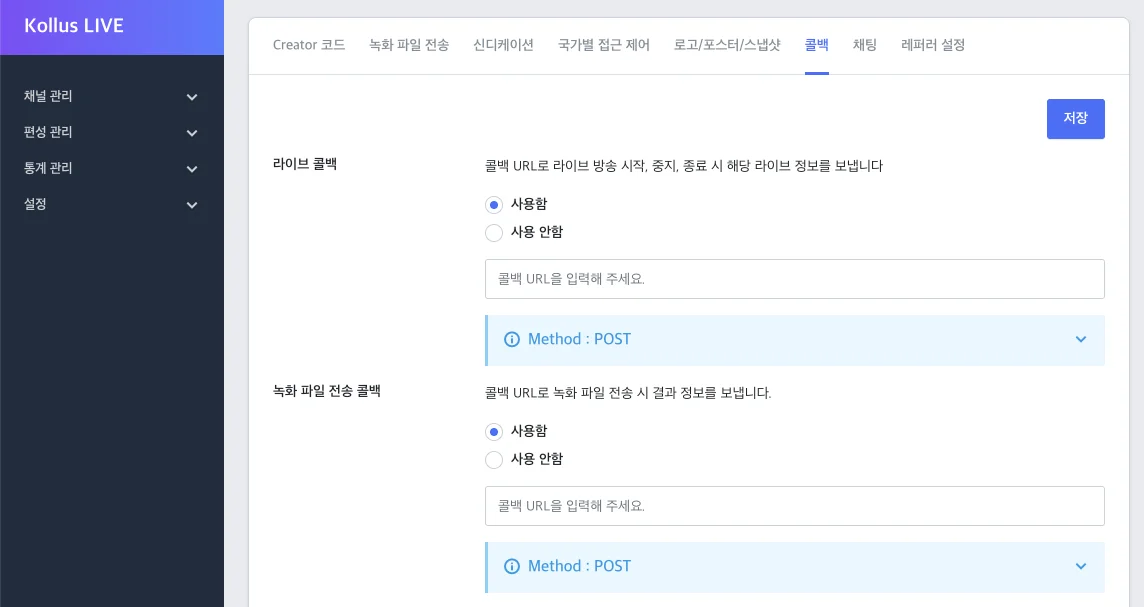
Callback URLs can be configured independently for each channel.
- Go to Kollus Live console > [Channel] > [Channel list].
- Depending on the situation, choose one of the following:
- Configure when creating a new channel: Click [Register channel] in the upper right corner.
- Configure for an existing channel: Click [Edit] on the right side of the target channel.
- In the [Callback] tab at the bottom, enter the callback URL for your purpose, then click [Save].
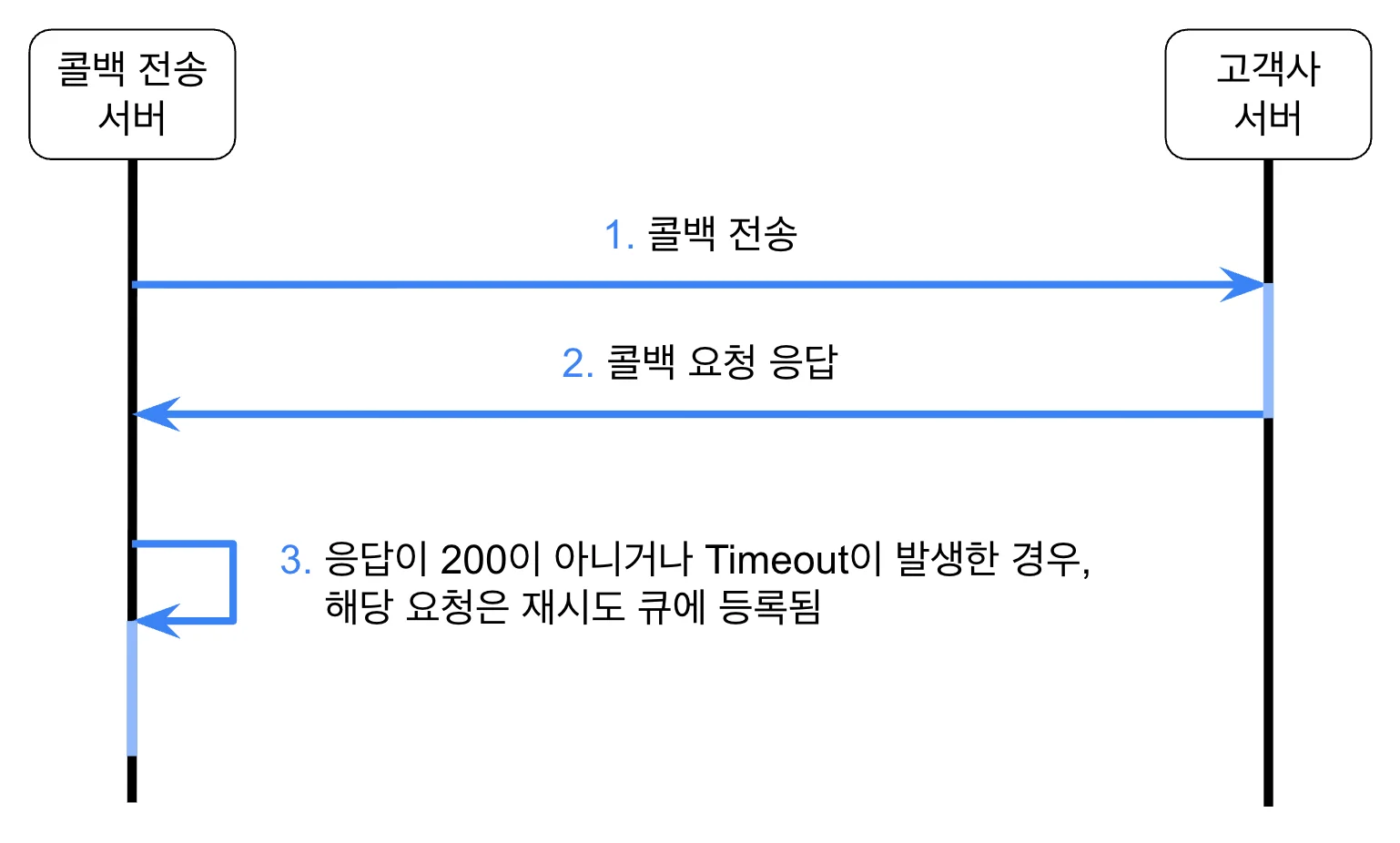
Callback flow
Communication specifications
Transmission method
- Method:
POST - Content-Type:
application/x-www-form-urlencoded - Transmission timing: Sent immediately when an event occurs
Response conditions
- Successful response: Returns HTTP Status Code 200 (response body is ignored)
- Failure determination: Returns a status code other than 200, or Timeout occurs (registered in the retry queue)
Timeout limits
| Category | Time limit | Description |
|---|---|---|
| Connect Timeout | 2 seconds | Time limit for attempting server connection |
| Response Timeout | 3 seconds | Time limit for waiting for a response after sending a request |
Retry
Retry policy
If transmission fails due to a temporary network failure or customer server delay, the system automatically performs retries.
- Retry interval: Every 5 minutes
- Maximum attempts: 3 retries (4 total attempts including the initial transmission)
- Log verification: All transmission and retry results are recorded in logs.
⚠️ Preventing duplicate callback reception
Due to network delays, even if the customer server has successfully processed the request and sent a response, the Kollus system may recognize it as a Timeout and resend the callback.
- Recommendation: The customer system must implement duplicate processing prevention logic to ensure data integrity even when receiving the same event multiple times.
Request parameters
These are the parameter specifications transmitted for each event.
For key information, refer to the Authentication and Keys document.
live callback
Information transmitted when the live streaming status changes.
| Parameter | Type | Description |
|---|---|---|
version | string | Callback version |
service_account_key | string | Service account key |
channel_key | string | Channel key |
stream_key | string | Stream key |
broadcast_key | string | Live broadcast key |
broadcast_state | string | Live streaming status
|
recording file transfer callback
When the recording file transfer feature is used, this includes the file transfer result information.
| Parameter | Type | Description |
|---|---|---|
version | string | Callback version |
service_account_key | string | Service account key |
channel_key | string | Channel key |
stream_key | string | Stream key |
broadcast_key | string | Live broadcast key |
recording_file_id | integer | Unique identifier of the recording file |
recording_file_filename | string | Recording file name |
recording_file_kind | string | Recording method
|
recording_file_transfer_result | integer | File transfer result
|