Authentication and Keys
Notice
This document is a machine-translated draft and is currently undergoing review. Some content may be inaccurate or differ from the original Korean version. For the most precise information, refer to the Korean documentation.
When integrating with the Kollus Live system, various unique identification keys are used for API authentication, content identification, and playback authorization. Please familiarize yourself with the purpose and how to find each key before proceeding with integration.
| Key/ID | Primary use | Where to find in Kollus Live console |
|---|---|---|
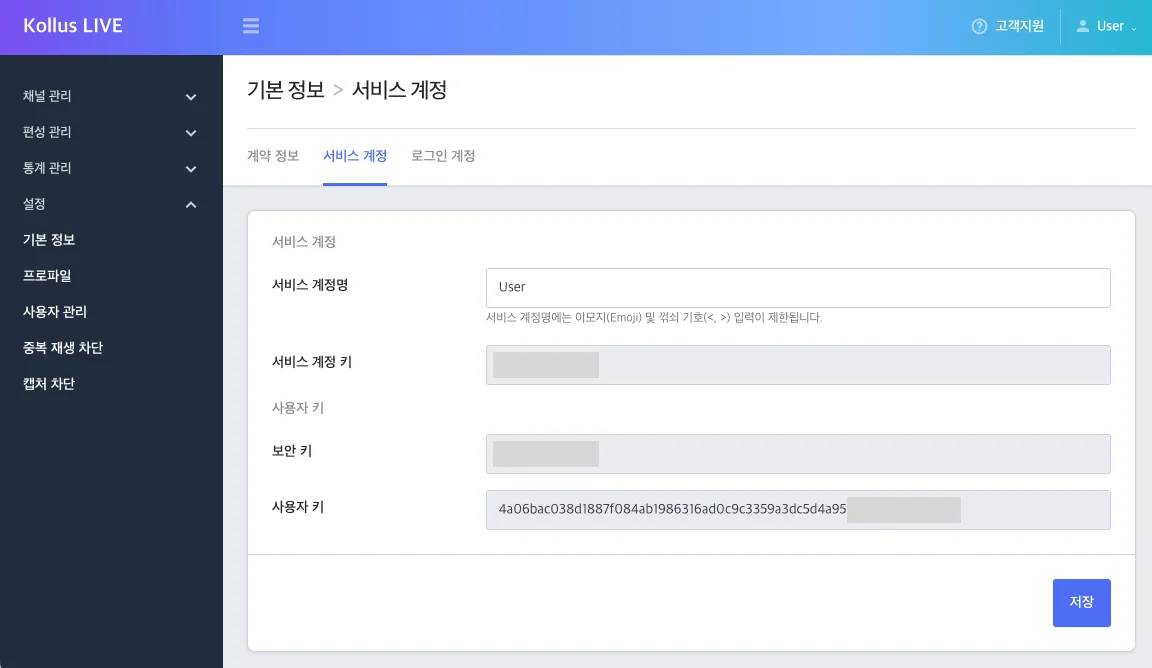
| Security key | JWT live viewing authorization (signing/verification) | [Settings] > [Basic information] > [Service account] |
| Custom key | Encrypted value of the security key (required for JWT generation) | [Settings] > [Basic information] > [Service account] |
| Service account key | Account unique identifier and callback integration | [Settings] > [Basic information] > [Service account] |
| Channel key | Live channel identification, View URL and recording file management | [Channel] > [Channel list] |
| Broadcast key | Unique identification of individual live stream sessions | [Channel] > [Channel list] > Channel details > [Broadcast list] |
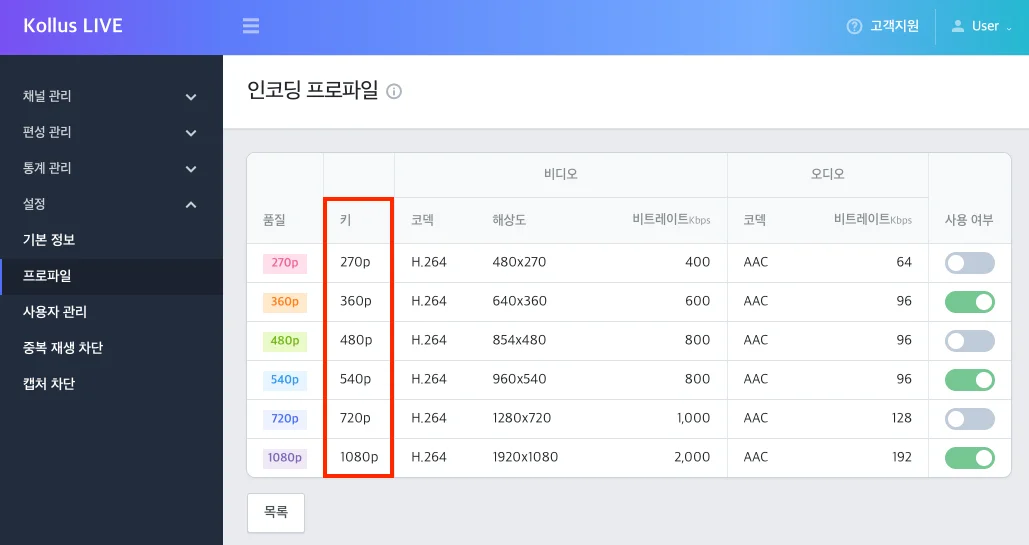
| Profile group key | Identification of encoding profile groups by streaming orientation and resolution spec | [Settings] > Profile |
| Profile key | Used when forcing a specific encoding profile | [Settings] > Profile > Profile details |
security key
- Description: A secret key used for signing and verification during live stream viewing authorization (JWT).
- Where to find: Kollus Live console > [Settings] > [Basic information] > [Service account]
- See also: Generate Secure Live View URL (JWT)
Custom key
- Description: An encrypted value of the security key, used together with the security key for authentication (JWT).
- Where to find: Kollus Live console > [Settings] > [Basic information] > [Service account]
- See also: Generate Secure Live View URL (JWT)
Service account key
- Description: An account identification key issued when a service account is created. It cannot be changed and is primarily used for callback integration.
- Where to find: Kollus Live console > [Settings] > [Basic information] > [Service account]
Channel key
- Description: A channel identification key issued when a live channel is created. It is used for generating the View URL, identifying recording files, and more.
- Where to find: Kollus Live console > [Channel] > [Channel list]
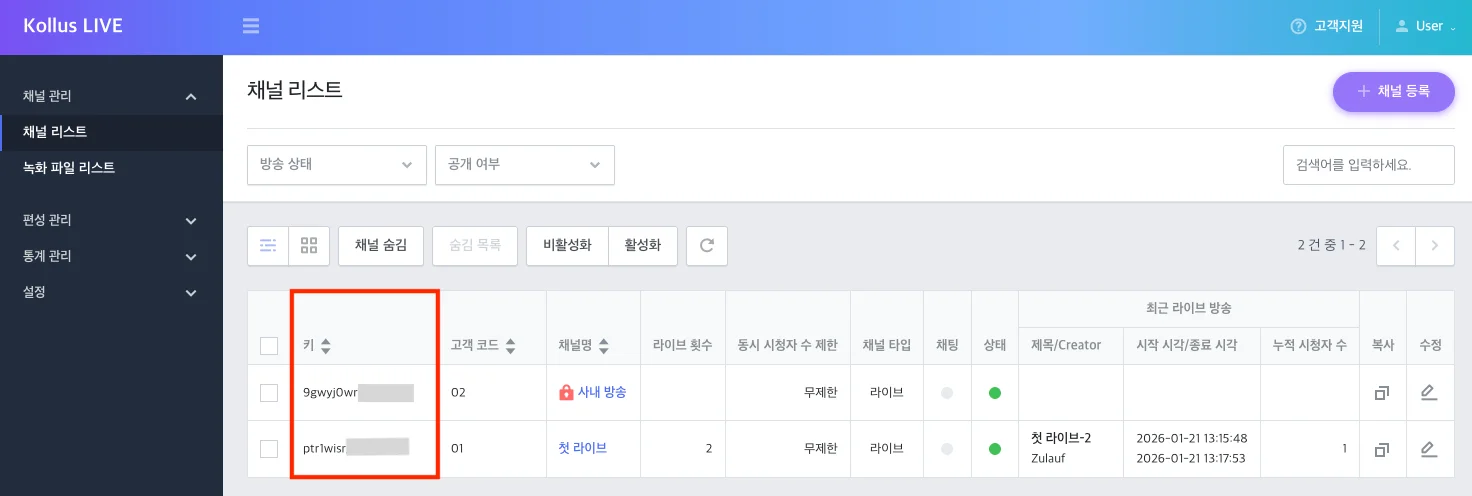
[Channel] > [Channel list]
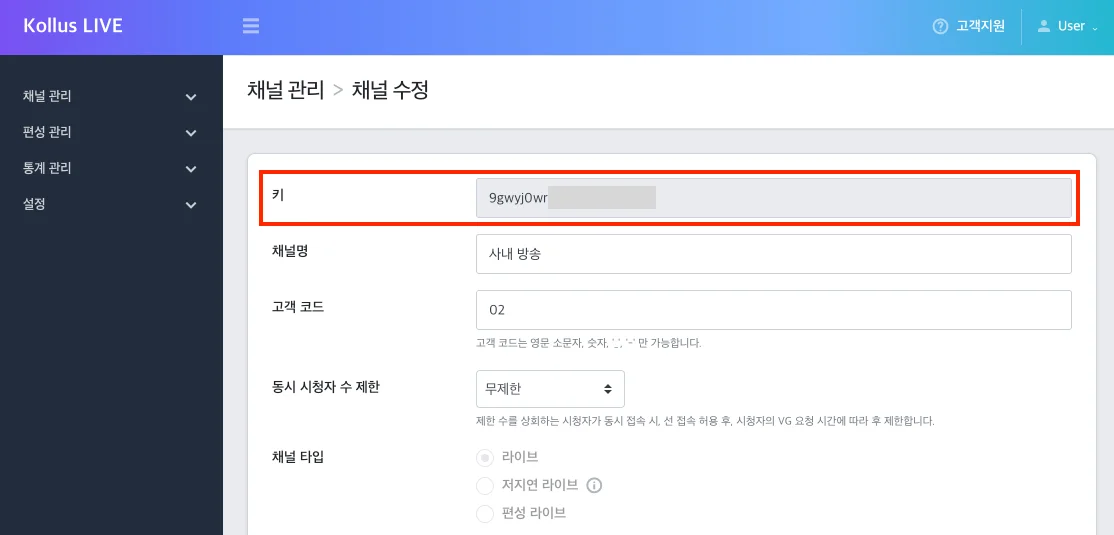
[Channel] > [Channel list] > [Edit] button on the right side of the channel
Broadcast key
- Description: A unique identification key assigned to each individual live stream session. It is used to distinguish a specific broadcast session within the system or to specify a broadcast during API integration.
- Where to find: Kollus Live console > [Channel] > [Channel list] > Click the target channel name > [Key] field in the [Broadcast list] at the bottom
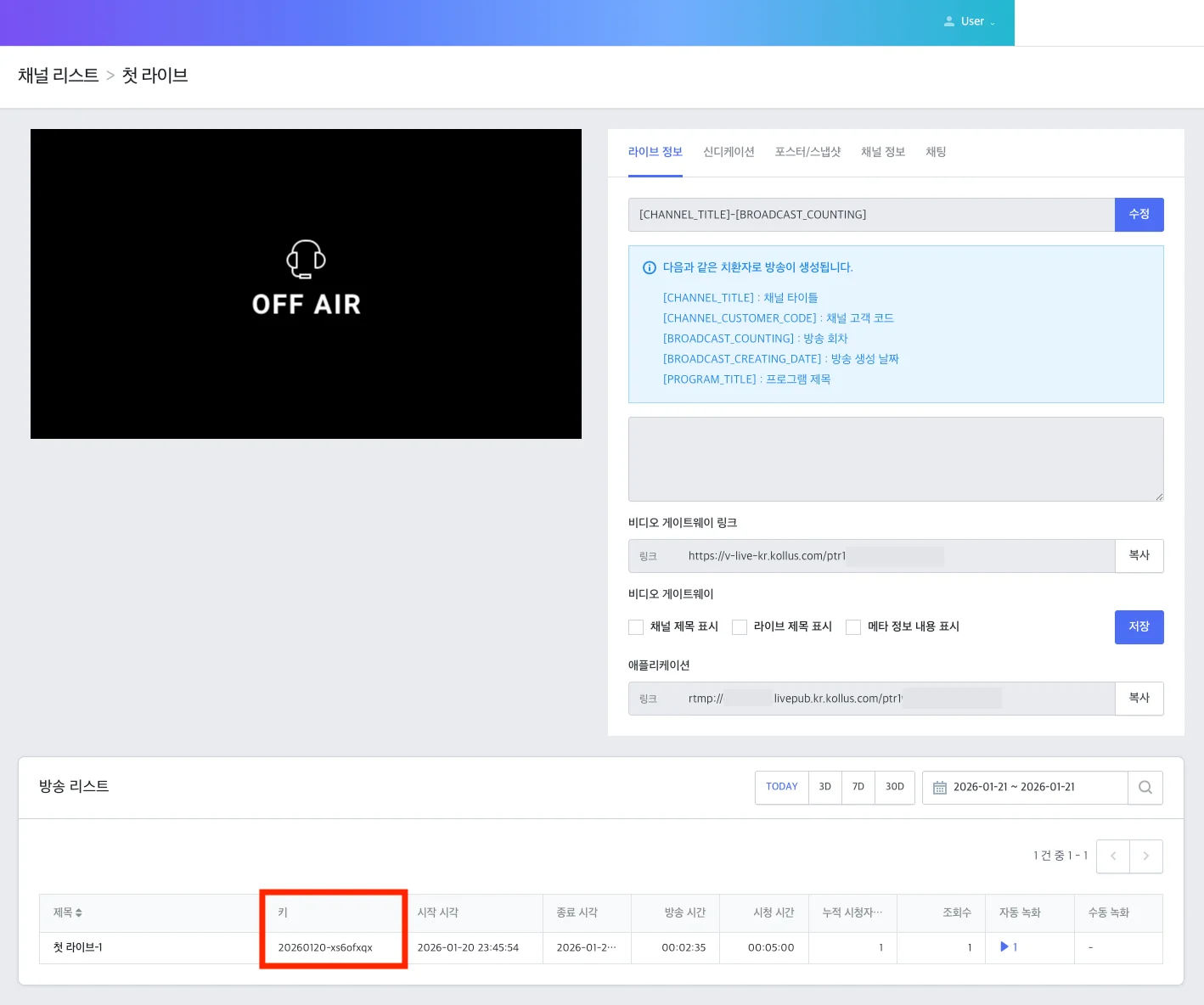
Profile group key
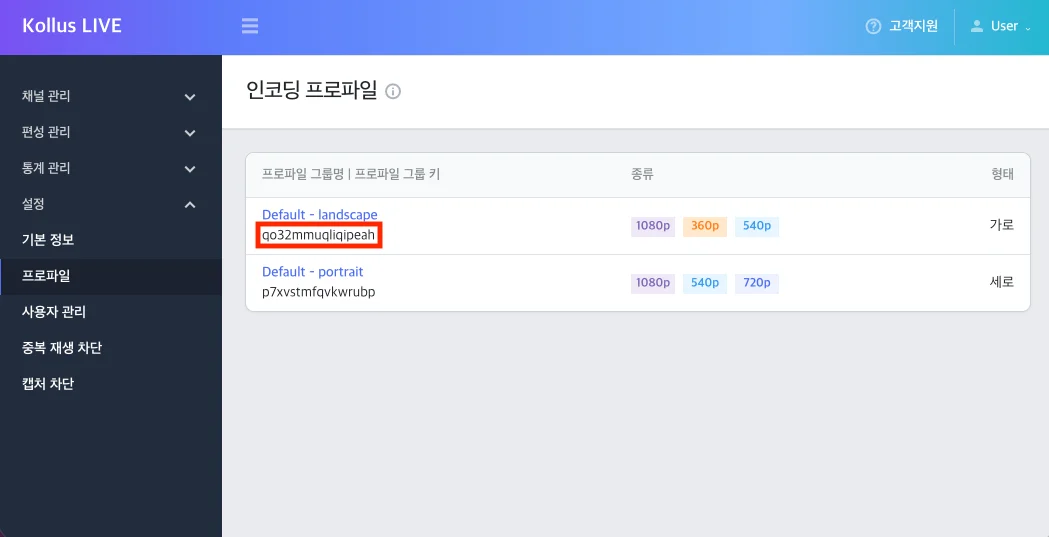
- Description: A unique identification key for a group of encoding profiles classified by live streaming screen orientation (landscape/portrait) and resolution spec.
- Where to find: Kollus Live console > [Settings] > [Profile group key] field within Profile
Profile key
- Description: An identification key used when forcibly specifying a profile for streaming.
- Where to find: Kollus Live console > [Settings] > Profile > Select a profile