Scheduled Live Service Flow
Notice
This document is a machine-translated draft and is currently undergoing review. Some content may be inaccurate or differ from the original Korean version. For the most precise information, refer to the Korean documentation.
This guide explains the process of automatically running live streaming according to a pre-planned schedule using VOD content stored in Kollus storage, without any external encoder software (OBS, vMix, etc.) or streaming equipment.
Key process summary
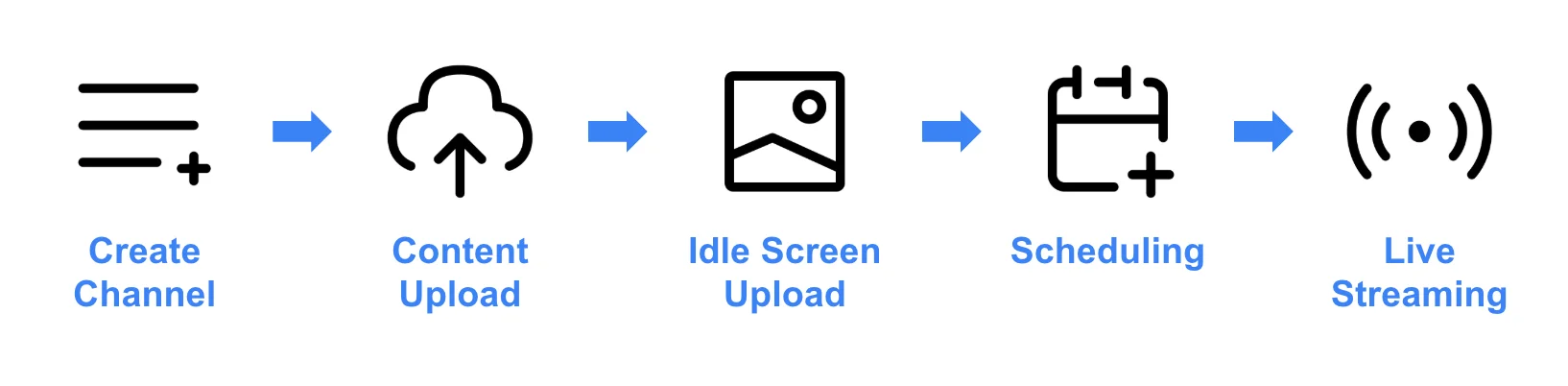
- Create a channel: Create a channel dedicated to Scheduled Live.
- Upload content: Upload the content to be used for Scheduled Live to Kollus storage.
- Upload idle screen: Prepare an idle screen (standby image) image to provide guidance to users before the broadcast starts or to display a brand image.
- Scheduling: You can arrange multiple programs consecutively in a single channel to configure seamless linear broadcasting.
- Watch the broadcast: Share the broadcast address with users or deploy it on a website.
Tutorial
Refer to the Scheduled Live tutorial document.