Creator Accounts
This document is a machine-translated draft and is currently undergoing review. Some content may be inaccurate or differ from the original Korean version. For the most precise information, refer to the Korean documentation.
Kollus Live separates the roles of the administrator who oversees the channel and the Creator who conducts the actual broadcast, providing a more stable operating environment.
A Creator is a user who directly conducts live streams on their assigned channel. For security and operational efficiency, their permissions are restricted so that they can only monitor the status of the channels they are responsible for.
Create creator account
An administrator can create up to 3 Creator accounts per channel and grant broadcast permissions.
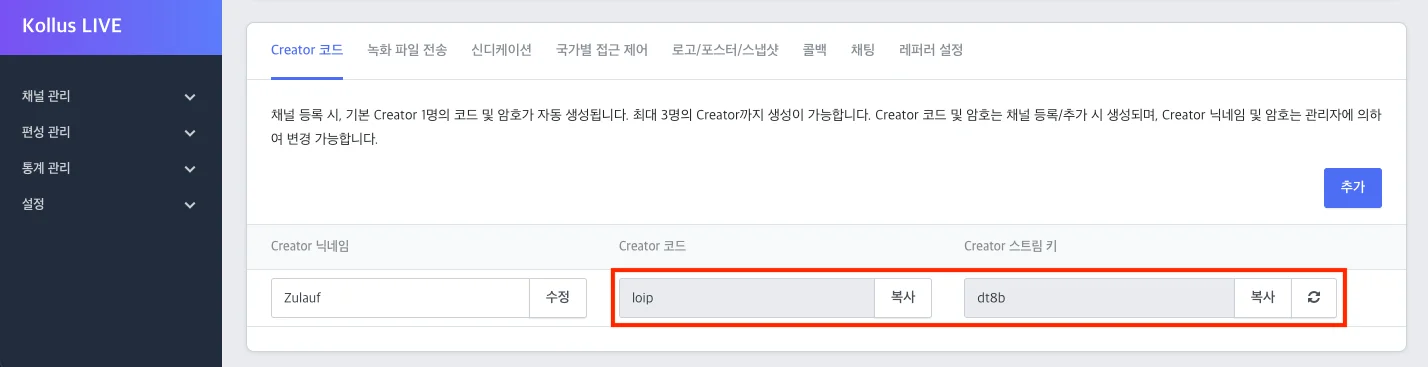
- Creation path: Kollus Live console > [Channel] > [Channel list] > [Edit] on the right side of the target channel > [Creator code] tab at the bottom > [Add]
- Delivering account information: Provide the Creator with the automatically assigned Creator code and stream key generated at creation. This information serves as the ID/password for Creator sign-in and access to the Kollus dedicated mobile encoder.
Creator sign-in
- Click [Creator Sign In] at the bottom of the Kollus Live console sign-in page.
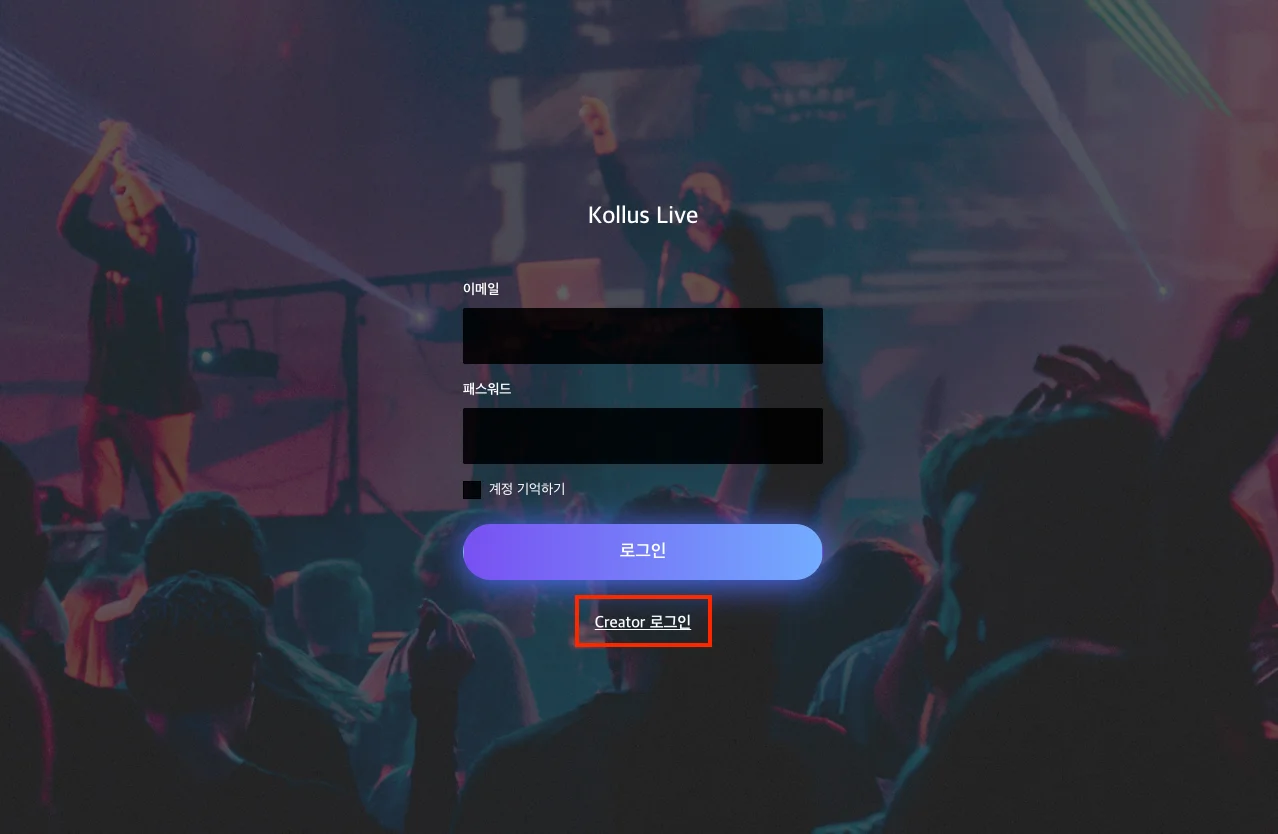
Kollus Live console sign-in screen > Click [Creator Sign In]
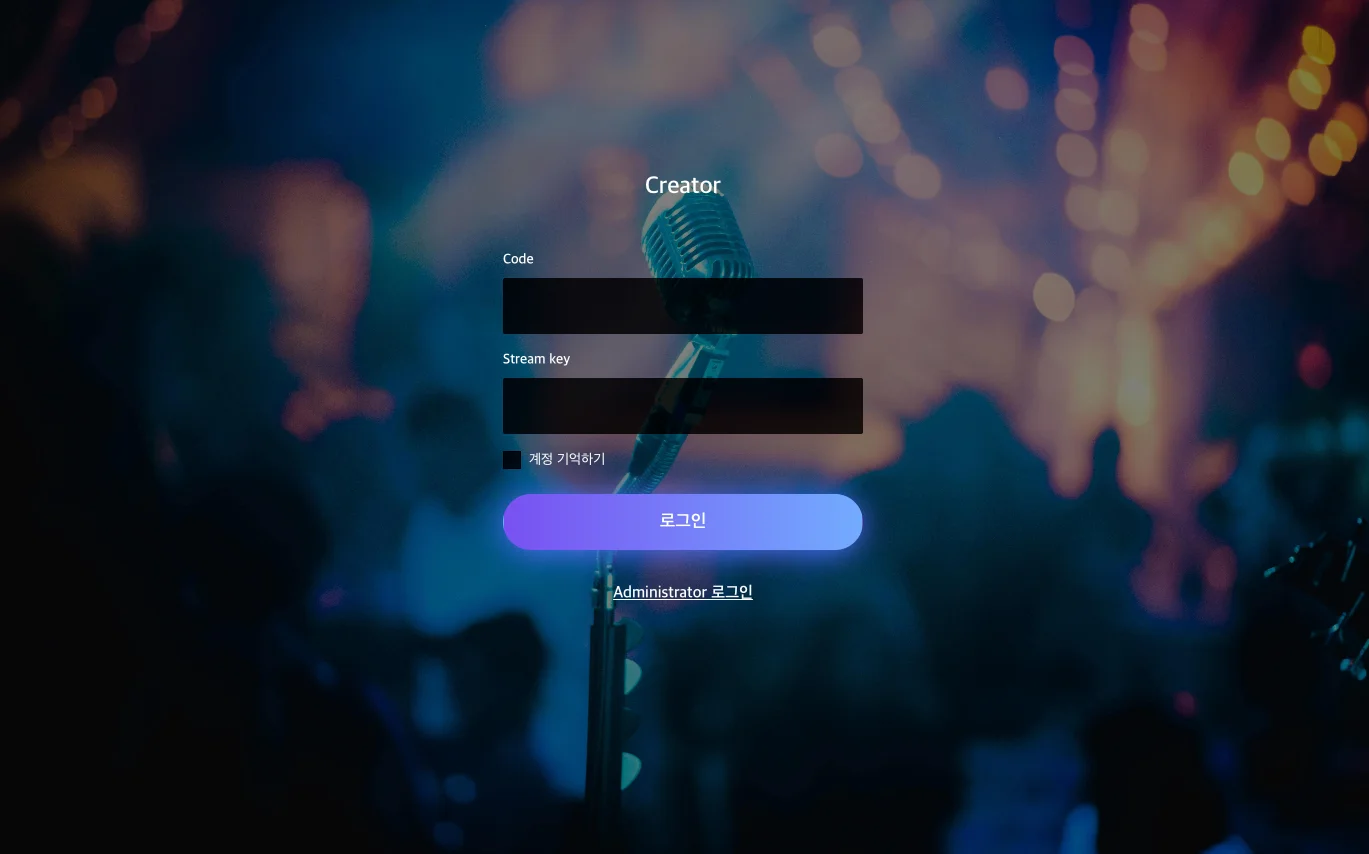
Creator sign-in screen
- Enter the Creator code and stream key provided by the administrator according to the table below, then click [Sign In].
Sign-in screen field Information provided Code Creator code Stream Key Stream key
Creator permissions
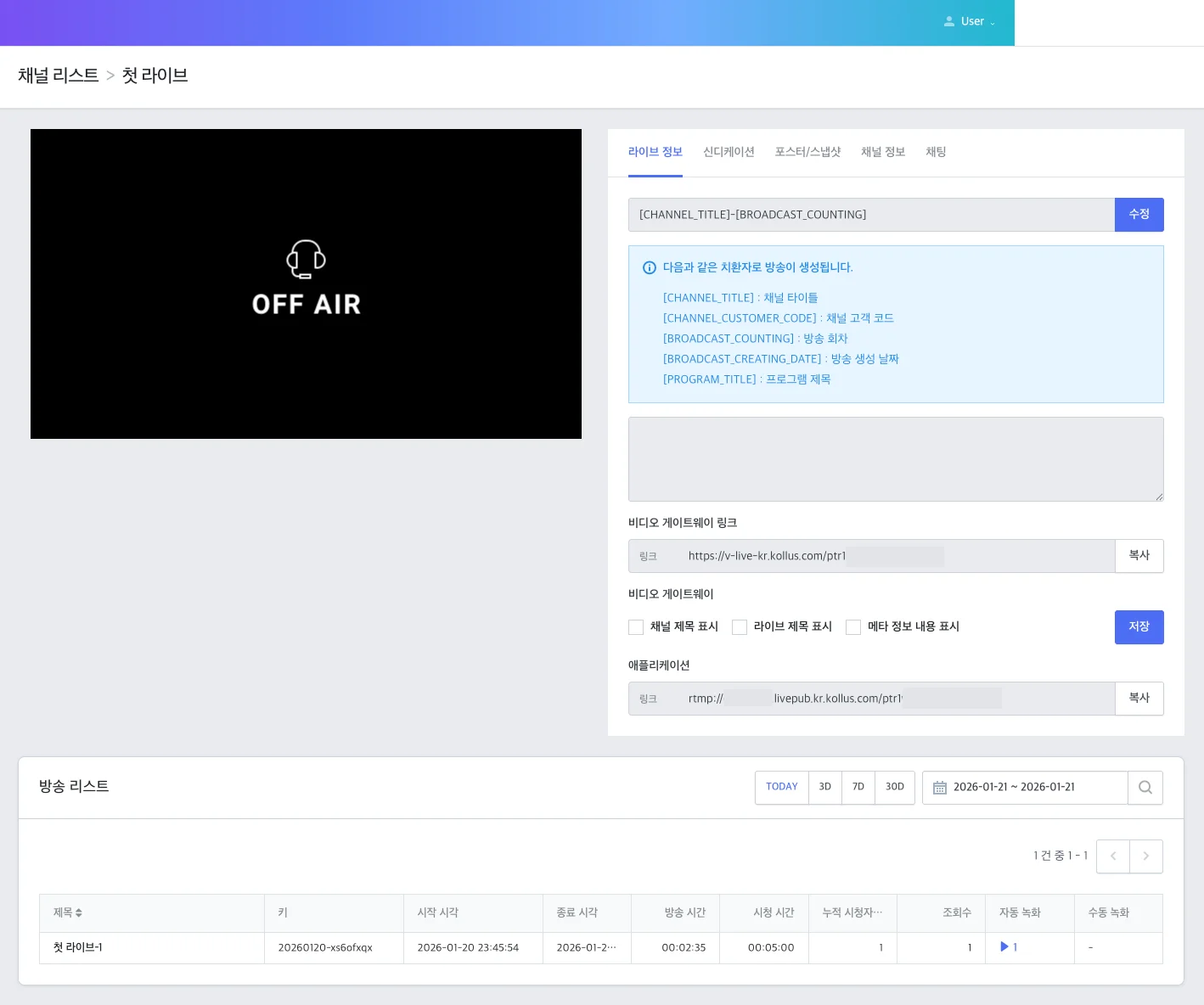
Creators can use the following features only for the channels they are responsible for.
- Real-time live streaming
- Checking current broadcast information
- Downloading recording files created after the broadcast ends
- Path: [Broadcast list] at the bottom > [Play (▶)] in the [Auto recording] item > Download icon on the right
Channel sharing among creators
Kollus Live supports the ability for multiple Creators to share a single channel by time slot for efficient resource utilization.
If broadcast schedules overlap, the following streaming priority policy is applied to ensure a stable transition.
Streaming priority policy
When stream time slots overlap, Kollus Live, in principle, prioritizes the streaming rights of the newly starting broadcast (subsequent broadcast).
- Initial 5-minute protection: Even if a subsequent broadcast starts, the existing broadcast's streaming is maintained for the first 5 minutes to allow for a natural transition between broadcasts.
- Forced termination of the previous broadcast: If the previous broadcast has not ended 5 minutes after the subsequent broadcast begins, the system forcibly terminates the previous broadcast and fully switches to the subsequent broadcast.