Authentication & Keys
This document is a machine-translated draft and is currently undergoing review. Some content may be inaccurate or differ from the original Korean version. For the most precise information, refer to the Korean documentation.
When integrating with the Kollus VOD system, various unique identification keys are used for API authentication, content identification, and playback authorization. Please familiarize yourself with the purpose and how to locate each key before proceeding with integration.
| Key/ID | Primary use | Where to find in Kollus VOD console |
|---|---|---|
| API access token | Used in the authentication header when calling APIs | [Settings] > [API] |
| Security key | JWT playback authorization (signing and verification) | [Settings] > [Custom key] |
| Custom key | Encrypted value of the security key (required for JWT generation) | [Settings] > [Custom key] |
| Service account key | Account identification and FTP address configuration | [Workspace settings] > [Service information] |
| Upload file key | Identification and management of original content assets | [Library] > Content details > [Overview] tab |
| Media content key | Core identifier for distribution and playback (Compare: Upload file key vs Media content key) | [Channel] > Content details > [Channel] tab |
| Encoding profile key | Identifies encoding policy and delivery specifications | [Settings] > [Encoding profile] |
| Category key | Used for category management and analytics | [Library] > Category [More (⋮)] |
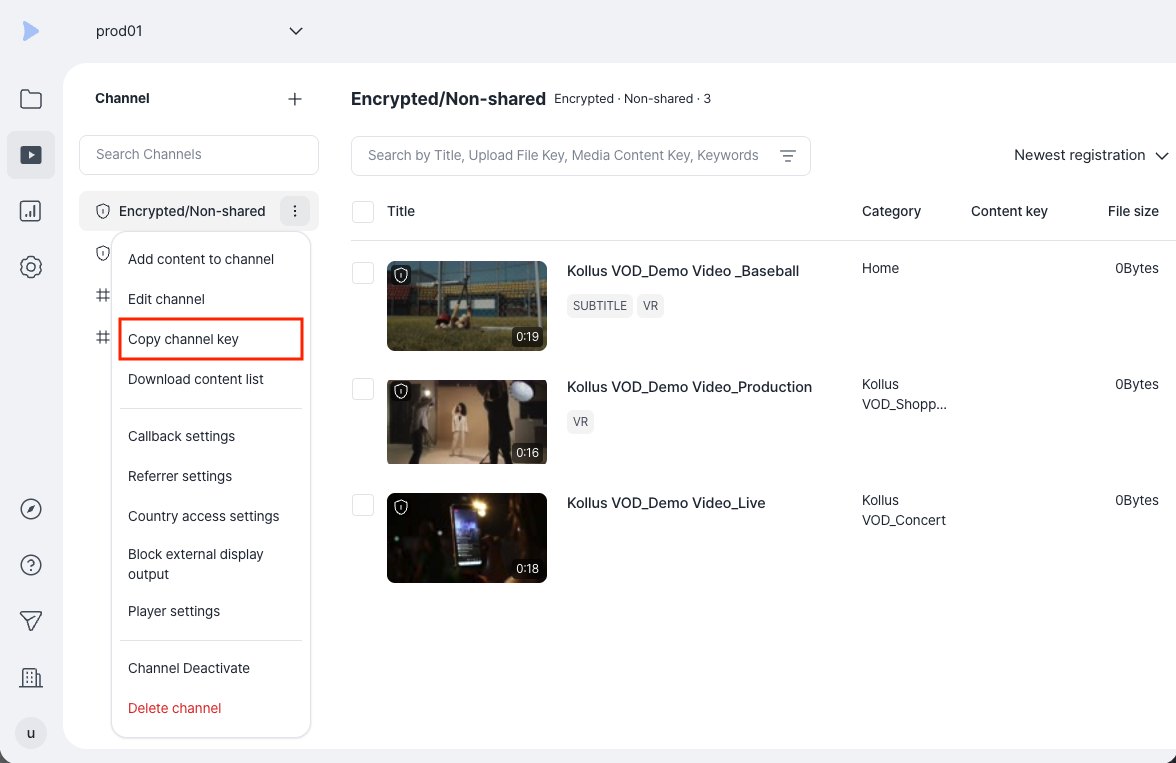
| Channel key | Used for channel management and analytics | [Channel] > Channel [More (⋮)] |
API access token
- Description: An authentication token (
kollus_api_access_token) used for Kollus VOD API calls. - Where to find: Kollus VOD console > [Settings] > [API]
Issuing a new token immediately invalidates the existing token. Therefore, you must update the authentication information in all systems currently using the existing token.
Security key
- Description: A secret key used for signing and verification during content playback authorization (JWT).
- Where to find: Kollus VOD console > [Settings] > [Custom key]
- Changing the security key: Contact Technical Support (tech_support@kollus.com).
- See also: Playback URL Generation (JWT)
Custom key
- Description: An encrypted value of the security key, used together with the security key for authentication (JWT).
- Where to find: Kollus VOD console > [Settings] > [Custom key]
- The value may be updated when the browser is refreshed; you must copy and apply the latest value at the time of use.
- See also: Playback URL Generation (JWT)
Service account key
- Description: An account identification key issued when a service account is created. It cannot be changed and is primarily used when configuring the upload path and FTP address.
- Example: If the service account name is
catenoid, the FTP address iscatenoid.ftp.kr.kollus.com. - Where to find: Kollus VOD console > [Workspace settings] > [Service information]
Upload file key
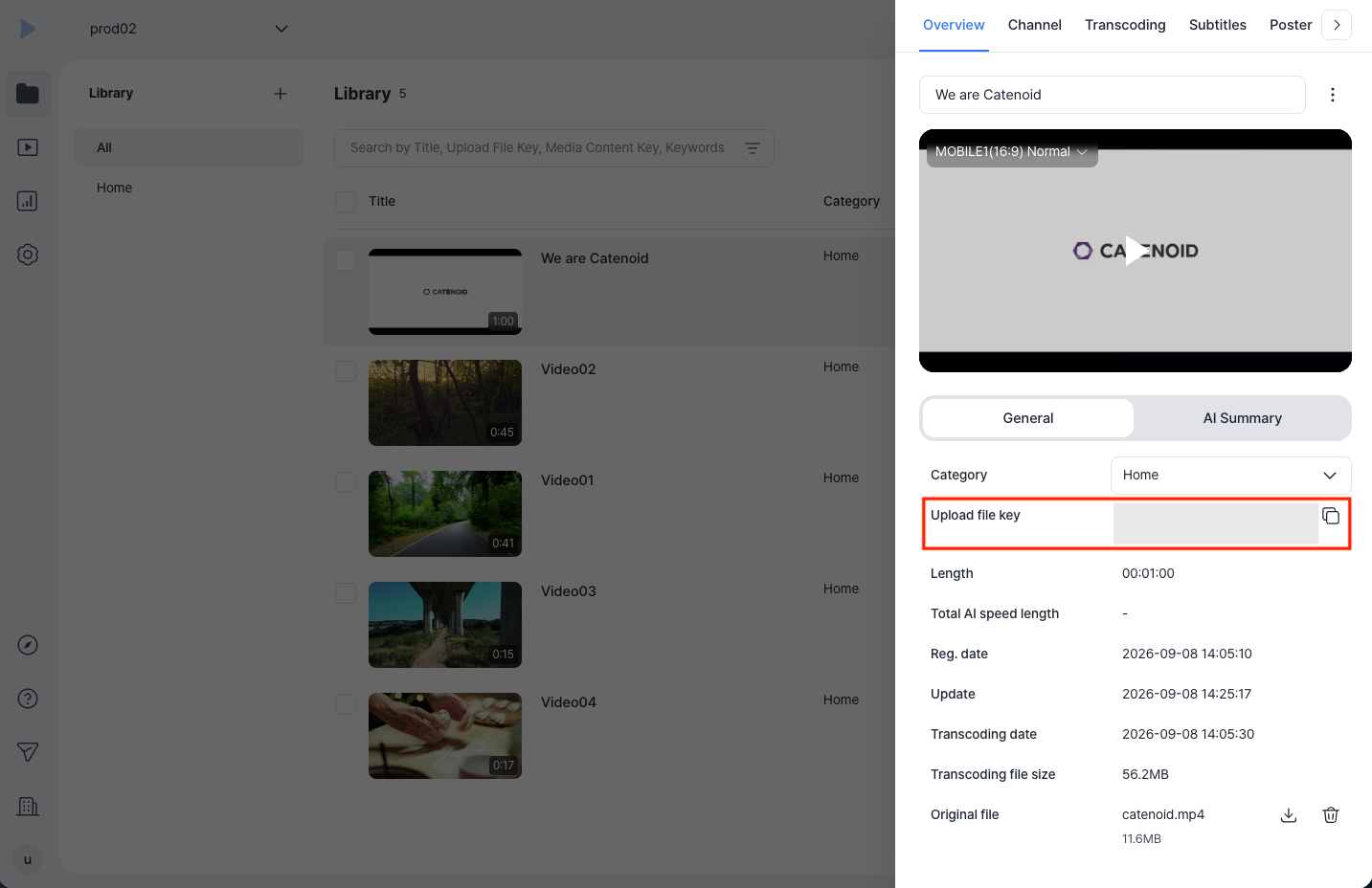
- Description: A unique identification key assigned to content once the upload is complete. It is used for original asset management tasks such as modifying content information, deleting, or replacing files.
- Where to find: Kollus VOD console > [Library] > Click on content title > [Overview] tab
Media content key
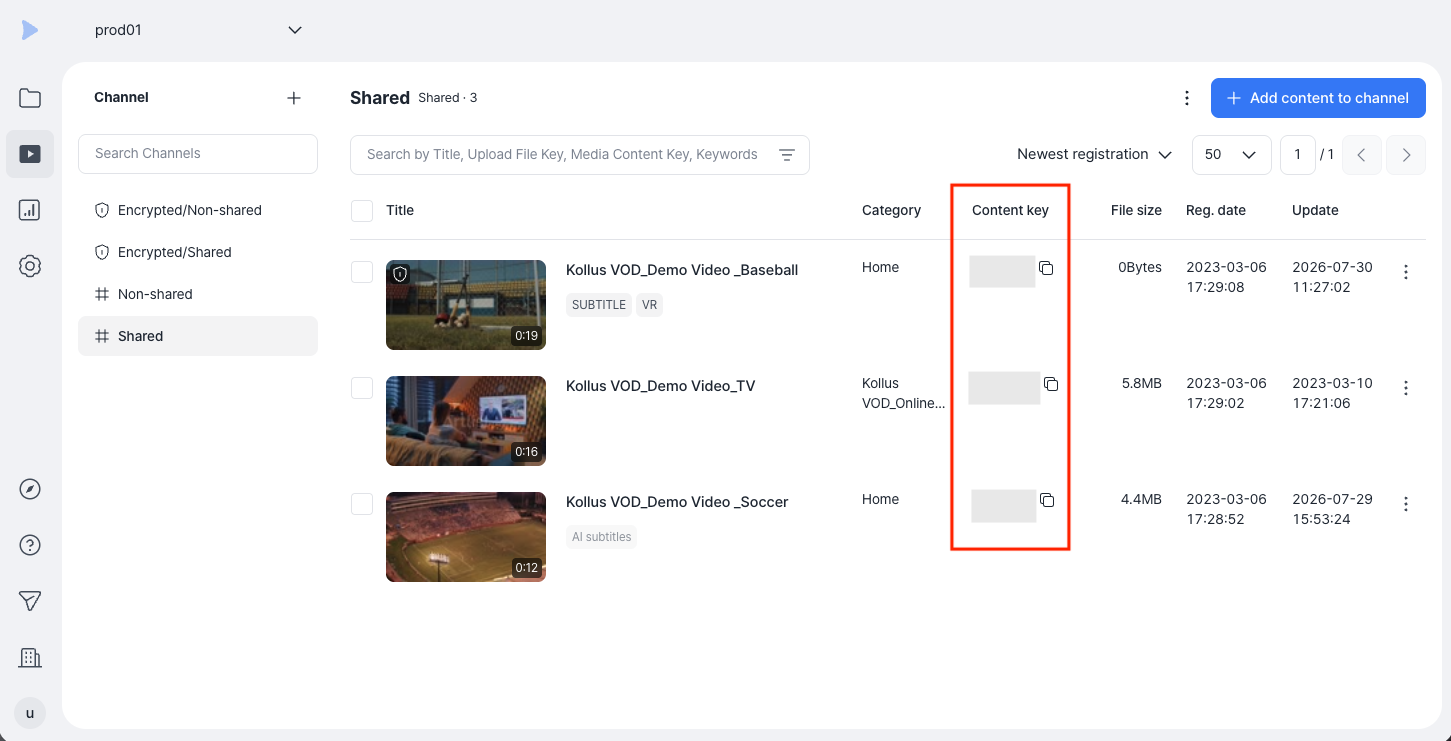
- Description: A distribution identifier key issued when content is registered to a specific channel. Even for the same content, a different media content key is issued for each channel it is registered in. It is used as a core identifier across distribution services, including content playback authorization and combining with a Custom ID.
- Where to find
- Content list: Kollus VOD console > [Channel] > Select channel > [Media content key] column in the content list
- Details panel: Kollus VOD console > [Channel] > Select channel > Click on content title > [Channel] tab > [Copy media content key]
Encoding profile key
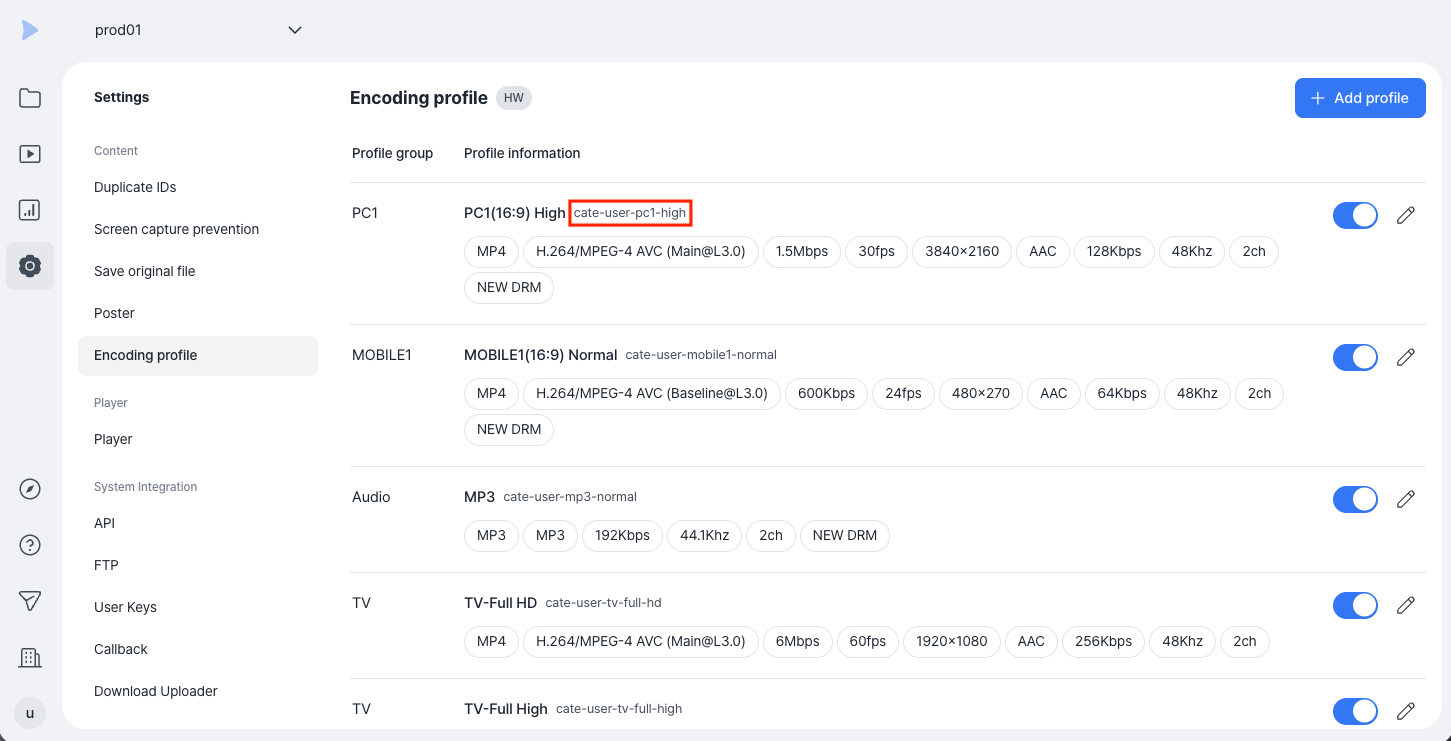
- Description: A profile identification key composed of a combination of service account, device type, and video quality information. It is used when configuring FTP passthrough uploads or encoding policies for specific categories.
- Where to find: Kollus VOD console > [Settings] > [Encoding profile]
- See also: Encoding profile settings
Category key
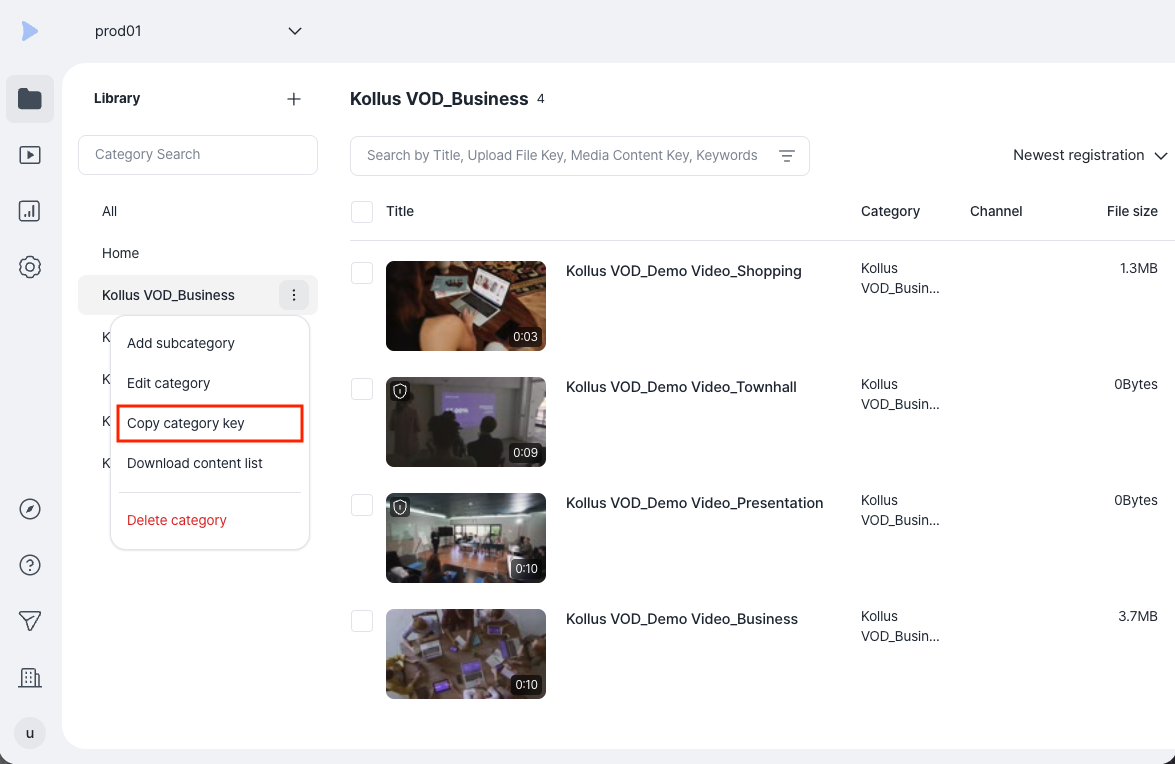
- Description: A category identification key issued when a category is created. It is used for analytics purposes and is not used for authentication (JWT).
- Where to find: Kollus VOD console > [Library] > [More (⋮)] to the right of the target category > [Copy category key]
Channel key
- Description: A channel identification key issued when a channel is created. It is used for analytics purposes and is not used for authentication (JWT).
- Where to find: Kollus VOD console > [Channel] > [More (⋮)] to the right of the target channel > [Copy channel key]
Compare: Upload file key vs Media content key
Kollus VOD manages identifiers in a dual structure to enable flexible distribution of original assets across various channels.
| Category | Upload file key | Media content key |
|---|---|---|
| Core role | Asset management: identifies the original content | Distribution management: identifies the playback path and per-channel settings |
| Issued when | Upon completion of the content upload process | When uploaded content is registered to a specific channel |
| Scope of management | Editing information, deleting files, replacing originals | Generating Playback URL(JWT), player settings, analytics |
| Relationship | 1 unique key issued per content | N keys issued when registered to N channels |