Insights
Notice
This document is a machine-translated draft and is currently undergoing review. Some content may be inaccurate or differ from the original Korean version. For the most precise information, refer to the Korean documentation.
- PlanStarterBasicEnterprise
Note
- Reference time zone: All data is based on UTC (GMT +0:00).
- Query range: Data covers up to the past year, with a maximum search period of 3 months per query.
- Update timing: Data is not reflected in real time and may be delayed by up to 36 hours.
- Data download: You can export data by clicking [CSV Download] in the upper right corner of each menu screen.
Overall insight
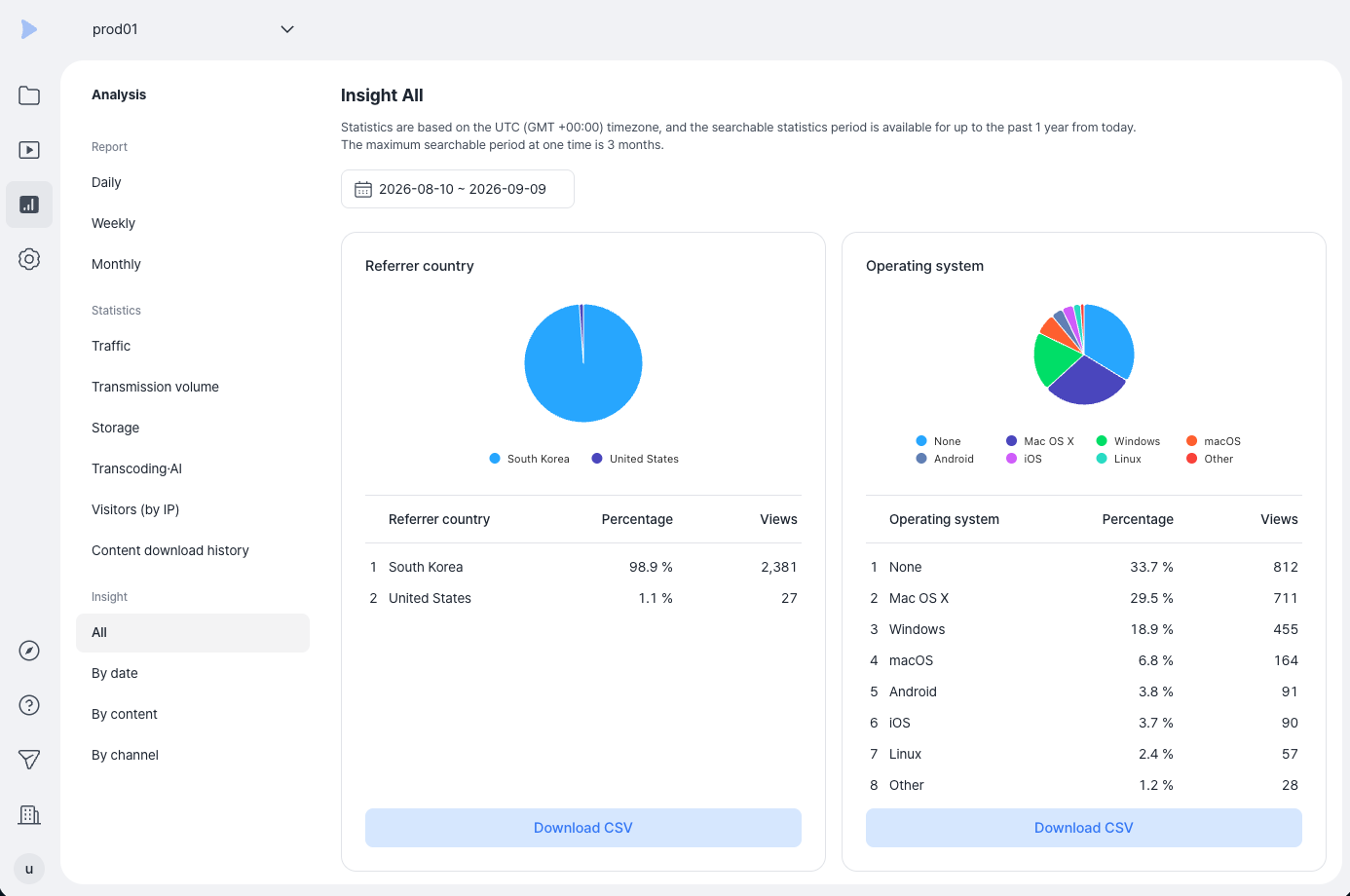
You can view the overall usage status of the service and understand the viewing environment by device, operating system, and browser.
- Where to find: Kollus VOD console > [Analysis] > [Insight] > [All]
| Metric | Description |
|---|---|
| Views | Total combined view count for all content registered in the service |
| Referral domain | Information on the website domain from which the player playback request originated |
| Country of origin | Distribution of viewers' countries of access, determined based on the connecting IP address |
| Operating system | Statistics on operating systems used to view content, such as Windows, macOS, iOS, and Android |
| Browser | Statistics on web browsers used in the viewing environment, such as Chrome, Edge, and Safari |
Daily insight
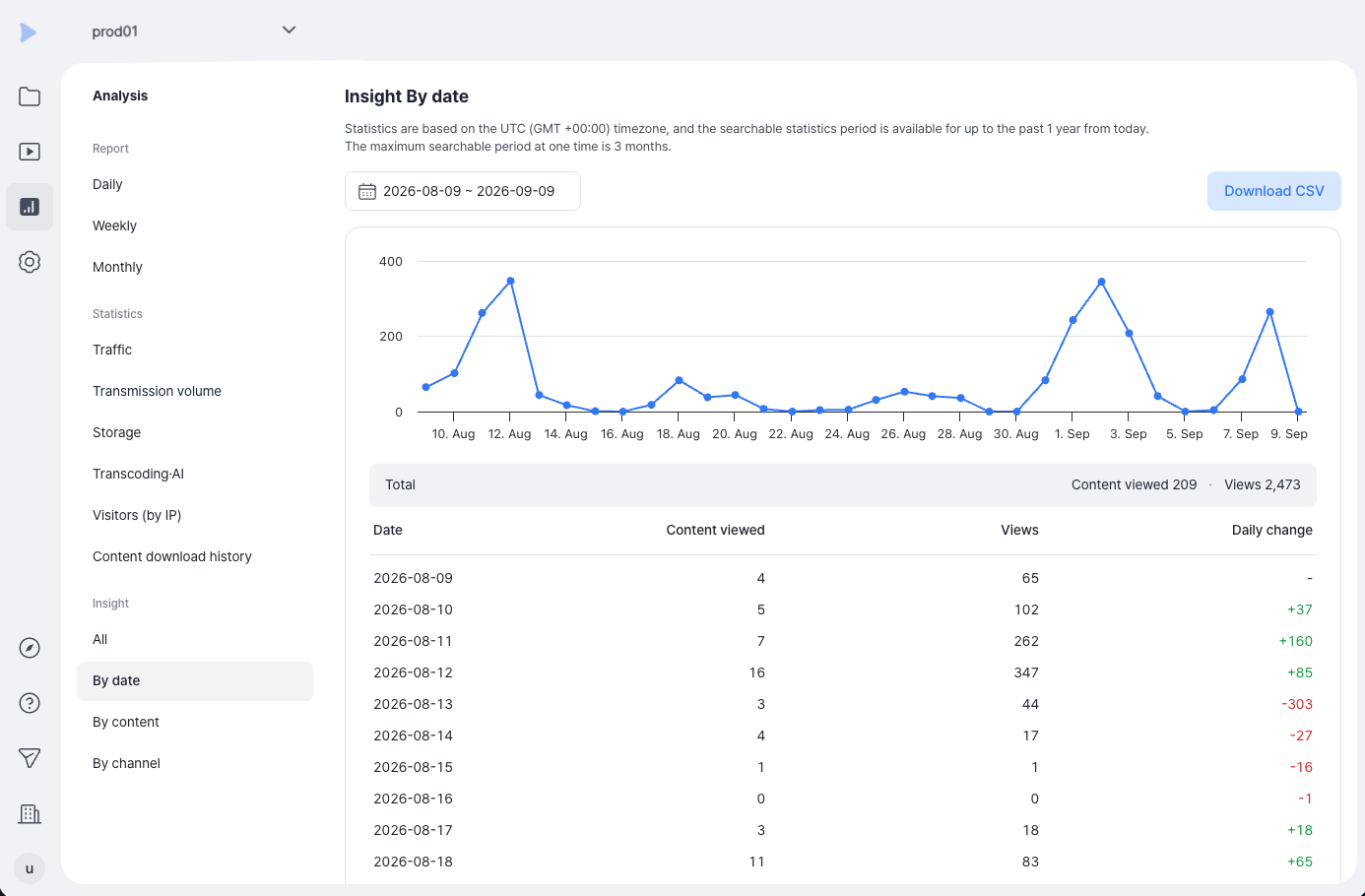
You can analyze trends based on time-series data.
- Where to find: Kollus VOD console > [Analysis] > [Insight] > [By date]
| Metric | Description |
|---|---|
| Date | The reference date for the statistics |
| Contents viewed | Number of content items viewed at least once on that day |
| Views | Total cumulative view count for the day |
| Day-over-day change | Change in view count compared to the previous day (increase: blue, decrease: red) |
Content insight
You can view detailed performance data for individual videos.
- Where to find: Kollus VOD console > [Analysis] > [Insight] > [By content]
Channel insight
You can view performance data aggregated by channel.
- Where to find: Kollus VOD console > [Analysis] > [Insight] > [By channel]