AI Summary
This document is a machine-translated draft and is currently undergoing review. Some content may be inaccurate or differ from the original Korean version. For the most precise information, refer to the Korean documentation.
- PlanStarterBasicEnterprise
AI Summary is an intelligent navigation service that precisely analyzes a content's audio data to summarize its key content and automatically organize chapters by detecting points where the topic shifts.
Rather than dividing content into simple time-based segments, it uses AI technology to deeply analyze the context of extracted text and pinpoints exactly where the topic logically changes. This allows viewers to instantly navigate to the section they want, even in long videos, and quickly grasp the key information.
Key benefits of adopting AI Summary
Using the AI Summary feature dramatically reduces operational resources while providing viewers with an optimized viewing experience.
- Maximized operational efficiency: Summaries and chapters are generated automatically as part of the upload process, without any manual work, reducing management resources.
- Increased content asset value: The generated summary can be used immediately across various business areas, such as course detail pages, metadata, and marketing copy.
- Enhanced viewing and learning experience: Viewers can actively navigate to the sections they need, improving learning engagement and information delivery.
- Structuring of unstructured data: Converts the audio information within a video into text-based structured data, improving search engine optimization (SEO) and archiving efficiency.
The accuracy of AI-generated results is affected by audio quality. Before applying this feature to a live service, it is recommended to first verify the quality of the generated output using test content.
⚠️ Prerequisites
Data dependency and technical mechanism
Because AI Summary uses an advanced text analysis algorithm, precise subtitle data must be available beforehand.
- AI Subtitle data required: This feature analyzes context based on AI Subtitle data generated by the system.
- Workflow: If the content does not have AI Subtitle data, the tasks are completed sequentially through the process of [Create AI Subtitle] → [Context analysis] → [Create AI Summary].
Quality and operational constraints
- Minimum video length: For short content under 5 minutes, chapters may not be generated because it is difficult to identify a logical context.
- Data density: Content with little to no speech may have lower analysis accuracy.
- Speech recognition rate: If there is significant background noise or unclear pronunciation, the AI Subtitle (STT) misrecognition rate increases, which may make the summary's context somewhat unnatural.
Data exposure scope
- Customer-only: AI Summary(Keynote) and Key keywords data can only be viewed by customer administrators in the Kollus VOD console.
- Visible to viewers: Only chapter information is exposed in the player's navigation bar.
Player compatibility
To properly display chapter information to viewers, you must use a player of at least the following versions.
- Kollus Web Player: Latest version
- Kollus App Player for iOS: v2.2.37 (SDK v2.3.31) or later
- Kollus App Player for Android: v2.1.17 (SDK v3.0.12) or later
Generate AI Summary
AI Summary can only be generated for content that meets all of the following technical conditions.
- Security policy: Content that does not use Multi-DRM
- AI Summary generation is available for standard(unencrypted) content and Kollus DRM content.
- Audio quality: Content whose transcoded file has an audio sample rate of 16 kHz or higher
Automatically generate when uploading new content
If you enable the AI Summary option during content upload, the summary and chapters are automatically generated after transcoding is complete.
- In the Kollus VOD console, from the [Library] menu, click [Content upload] at the top right.
- Among the upload options, select [Create AI Summary].
- In the language selection window, select the primary language used in the content, then click [Confirm]. Korean and English are currently supported.
- Drag and drop the file into the upload area, or click [Select file] to choose a file.
- File name emoji restriction: Files whose file names contain emojis cannot be uploaded.
- Supported file extensions: Only files with the following extensions can be uploaded. Unsupported file formats are automatically excluded from the upload list or fail to upload.
- Video:
.3gp,.asf,.avi,.dv,.flv,.webm,.m4v,.mov,.mp4,.mpeg,.mpg,.wmv,.3g2,.3gpp,.f4v,.m2v,.ogm,.ogv,.wm - Audio:
.aac,.flac,.m4a,.mp3,.ogg,.wav,.amr,.wma
- Video:
- Maximum number of uploads: You can select up to 20 files at a time.
- The system processes the data through the following sequential pipeline.
- [Upload] → [Transcoding] → [Create AI Subtitle] → [Create AI Summary]
- When all processes are complete, an 'AI Summary' tag is displayed below the title.
Generate for existing content
You can also generate AI Summary for content that has already been uploaded.
Method 1: Generate from the content list
- In the Kollus VOD console, from the [Library] or [Channel] menu, select the checkbox to the left of the target content.
- Click [Create AI Summary] in the toolbar at the bottom of the screen.
- The system checks whether AI Subtitle data exists and automatically starts the process. (If no AI Subtitle exists, a language selection popup appears.)
- When all processes are complete, an 'AI Summary' tag is displayed below the title.
Method 2: Generate from the details panel
- In the Kollus VOD console, from the [Library] or [Channel] menu, click the title of the target content.
- In the [Overview] tab, click [Create AI Summary].
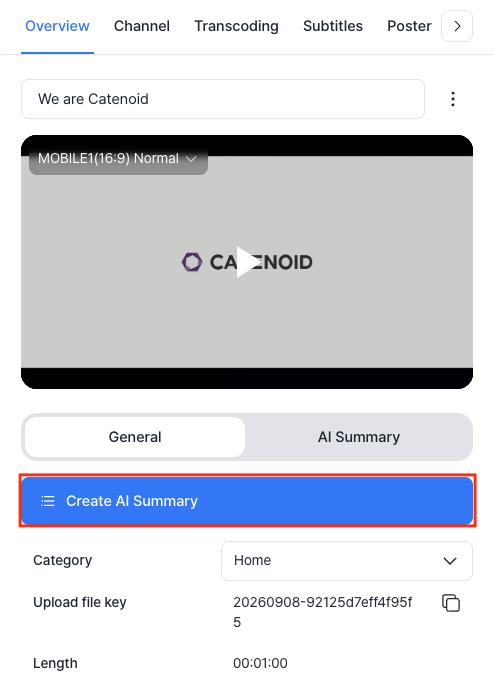
- The system checks whether AI Subtitle data exists and automatically starts the process. (If no AI Subtitle exists, a language selection popup appears.)
- When all processes are complete, an 'AI Summary' tag is displayed below the title.
Check AI Summary data
- In the Kollus VOD console, from the [Library] or [Channel] menu, click the title of the target content.
- In the [Overview] tab > [AI Summary] tab, you can check the generated summary and chapters.
Item Description Usage example Summary(Keynote) A concise summary that captures the overall context. Clicking the timestamp immediately plays that section. Course introductions, syllabi, promotional materials Chapter Timeline information based on topic transitions. Clicking the timestamp immediately plays that section. Viewer navigation, repeated learning of key sections Key keywords Data extracted from terms with high frequency and importance. Clicking a keyword searches for related content. Content classification, glossary building, search optimization 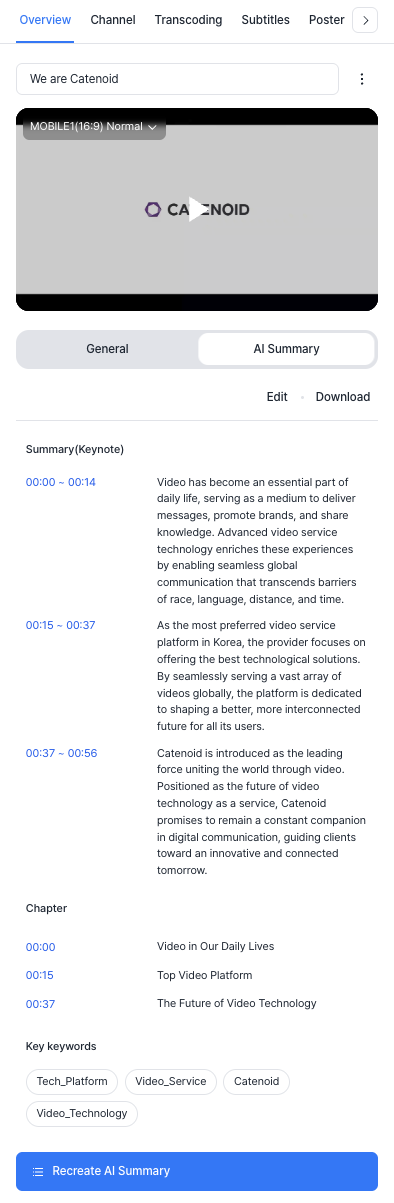
Edit AI Summary
Directly edit the generated AI output. Refer to the Editing Guide below to check the data specifications for each item.
- In the Kollus VOD console, from the [Library] or [Channel] menu, click the title of the target content.
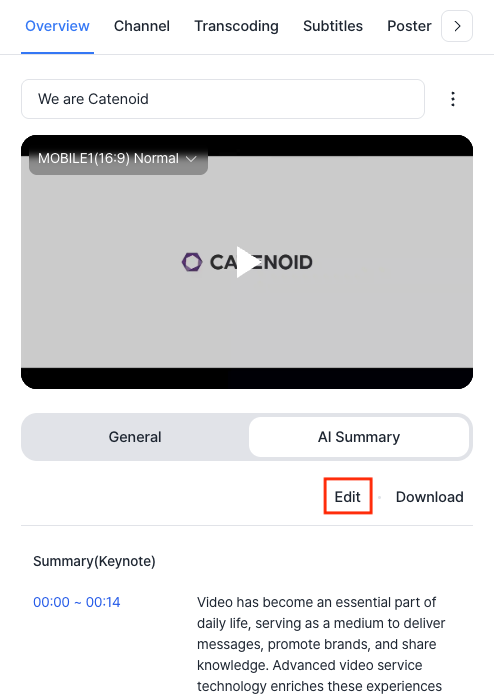
- In the [Overview] tab > [AI Summary] tab, click [Edit].
Editing guide
- Summary(Keynote)
- Chapter
- Key keywords
Input method
- Enter the [Start time ~ End time] range, then press [Space bar] or [Enter] to write the content.
Time rules
- Logical order: The start time must precede the end time, and the entire list must be arranged in ascending order.
- Range limit: The start and end times cannot exceed the total length of the content.
Data input limits
- Number of items: Up to 5 entries can be created.
- Text length: The total character count is limited to 5,000 characters or less, including spaces.
Input method
- Enter the start time, then press [Space bar] or [Enter] to write the title for that section.
Time rules
- Default value: The start time of chapter 1 must always be fixed at
00:00. - Minimum interval: Each chapter must be at least 10 seconds long.
- Order: Entries must be arranged in ascending order according to the timeline.
- Range limit: The start time cannot exceed the total length of the content.
Data input limits
- Number of items: A minimum of 3 and a maximum of 10 entries can be created.
- Title length: Limited to 30 Korean characters or 40 English characters or less, including spaces.
Input method
- Create: After entering a keyword, press a comma (
,) or [Enter] to register it. - Edit: Double-click a registered keyword to edit it, then press [Tab] or [Enter] to confirm.
- Delete: Click the [X] to the right of the keyword, or press the [Backspace] key.
- Automatic replacement: When pasting text, spaces are automatically converted to underscores(
_), and any special characters other than underscores are removed.
Data input limits
- Prohibited terms and symbols: Spaces cannot be included, and special characters or accent marks other than underscores(
_) cannot be used. - Duplicate prevention: The same keyword cannot be registered more than once.
- Number of items: Up to 20 keywords can be registered.
Download AI Summary file
Data that has been generated and edited can be exported as a CSV file for external management.
- In the Kollus VOD console, from the [Library] or [Channel] menu, click the title of the target content.
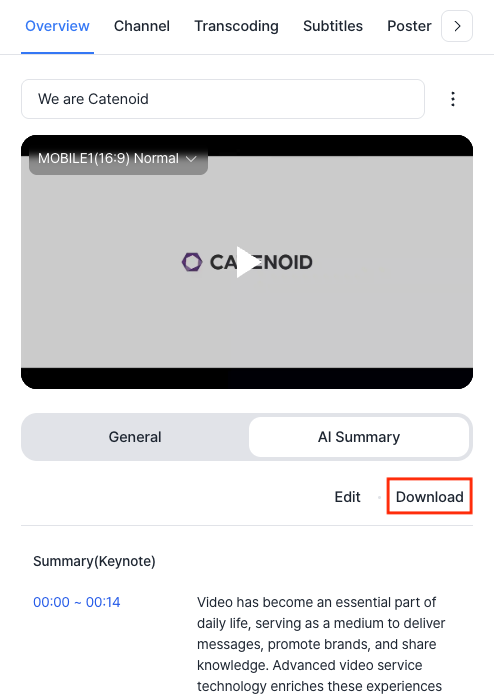
- In the [Overview] tab > [AI Summary] tab, click [Download].
Player display method
The generated chapter information is displayed on the progress bar so viewers can intuitively understand the structure of the video.
- Chapter marker: The starting point of each chapter is displayed as a vertical line on the progress bar.
- Chapter information: When you hover over or drag a specific section, the title and thumbnail of the corresponding chapter are displayed.
Kollus Web Player

Kollus App Player (Android/iOS)

FAQ
Q. For which content can AI Summary be generated?
AI Summary can only be generated for content that meets all of the following technical conditions.
- Security policy: Content that does not use Multi-DRM (Kollus DRM is supported)
- Audio quality: Content whose transcoded file has an audio sample rate of 16 kHz or higher
Q. Is there a limit on content length?
Yes, to ensure stable data processing, there are limits on the content length that can be processed for each language.
- Korean content: Up to 11 hours
- English content: 30 seconds minimum to 2 hours maximum
Content that is extremely short or extremely long, exceeding these limits, may cause timeout errors or other failures during processing. Therefore, for long-form videos, it is recommended to split them into appropriately sized units to ensure smooth summary and chapter generation.
Q. Can AI Summary be generated for audio-only content?
Yes. Audio-only content without video (such as MP3) can also have its audio data analyzed to generate AI Summary.
Q. Can summaries and chapters be generated for DRM content?
This depends on the security method used.
- Kollus DRM: AI Summary generation is possible.
- Multi-DRM: Because the content's strong security specification blocks audio extraction, AI Summary generation is not possible.
Q. Can AI Summary be generated using standard subtitles uploaded directly by the customer?
No. The AI Summary feature is designed to precisely link the timeline information and text of AI Subtitle data generated by Kollus's STT engine. AI Summary cannot be generated using uploaded subtitle files.
Q. How long does it take to complete AI Summary generation?
Generally, for a 60-minute video, it takes approximately 10 minutes. (This may vary depending on audio quality and system load.)
Q. Can an in-progress task be canceled midway?
No. Once AI Summary generation begins, system resources are allocated immediately, so it cannot be canceled midway.