Replace Content
Notice
This document is a machine-translated draft and is currently undergoing review. Some content may be inaccurate or differ from the original Korean version. For the most precise information, refer to the Korean documentation.
- PlanStarterBasicEnterprise
Content Replacement allows you to update media files to the latest version while keeping the existing playback URL and Media Content Key unchanged.
Because only the source file is updated—without needing to modify embed codes integrated into web pages or mobile apps—you can minimize service operational overhead.
⚠️ Prerequisites
To maintain data integrity when replacing content, be sure to keep the following technical constraints in mind.
- Duplicate registration restriction: You cannot replace content with content that is already registered in the target channel.
- Matching security attributes: Encrypted content can only be replaced with encrypted content, and standard(unencrypted) content can only be replaced with standard(unencrypted) content. (For encrypted content, a shield icon is displayed on the poster image.)
- Matching media type: Replacement between video files and audio files is not possible.
Step 1: Upload new content for replacement
- Navigate to the [Library] menu in the Kollus VOD console.
- Click [Content upload] at the top right of the screen to upload the new content.
- Verify that transcoding for the content is complete and it is ready to play.
Step 2: Select the content to be replaced
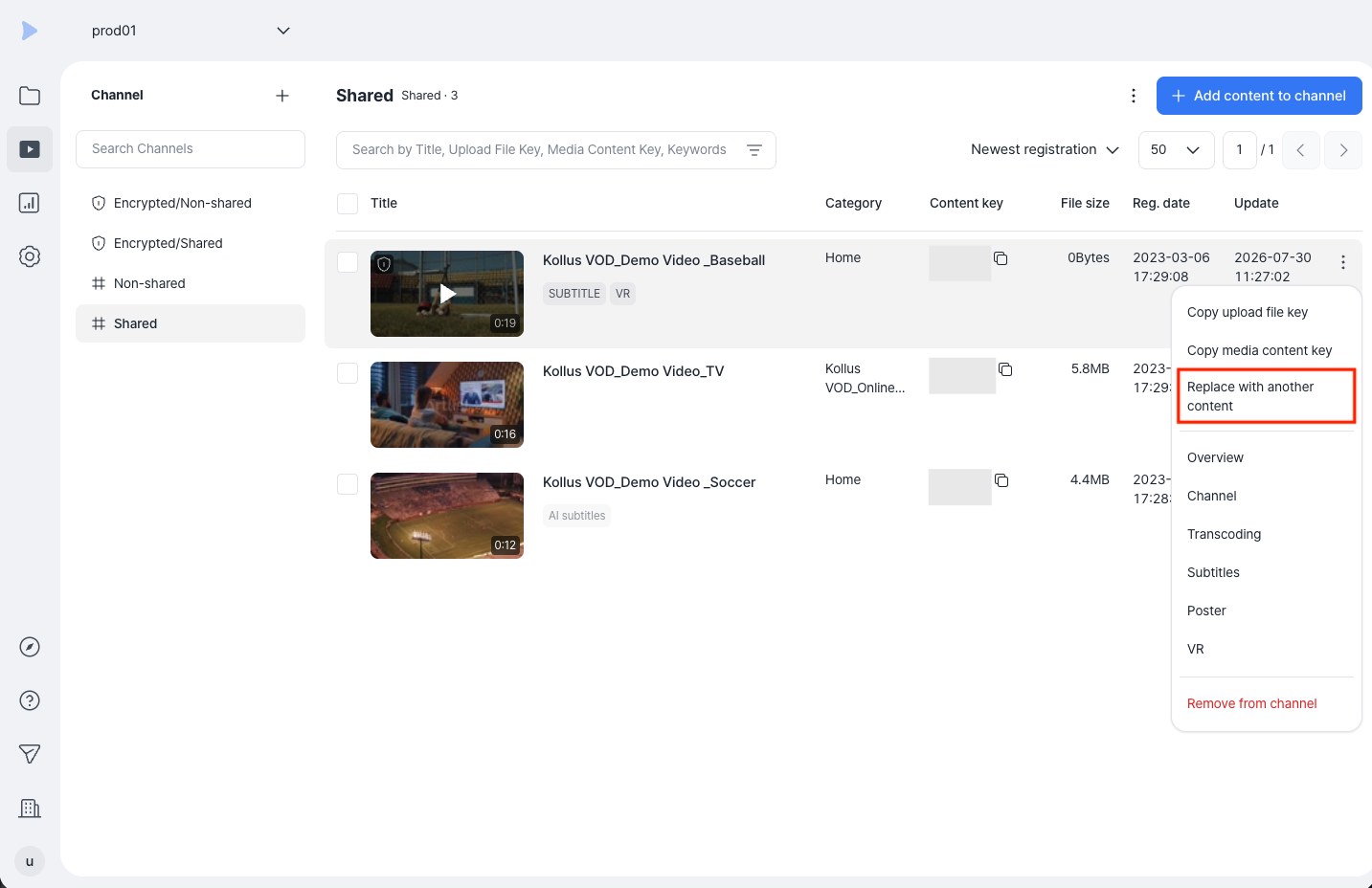
- In the [Channel] menu of the Kollus VOD console, select the target channel.
- Click [More (⋮)] > [Replace with another content] next to the content to be replaced.
Step 3: Map and replace with the new file
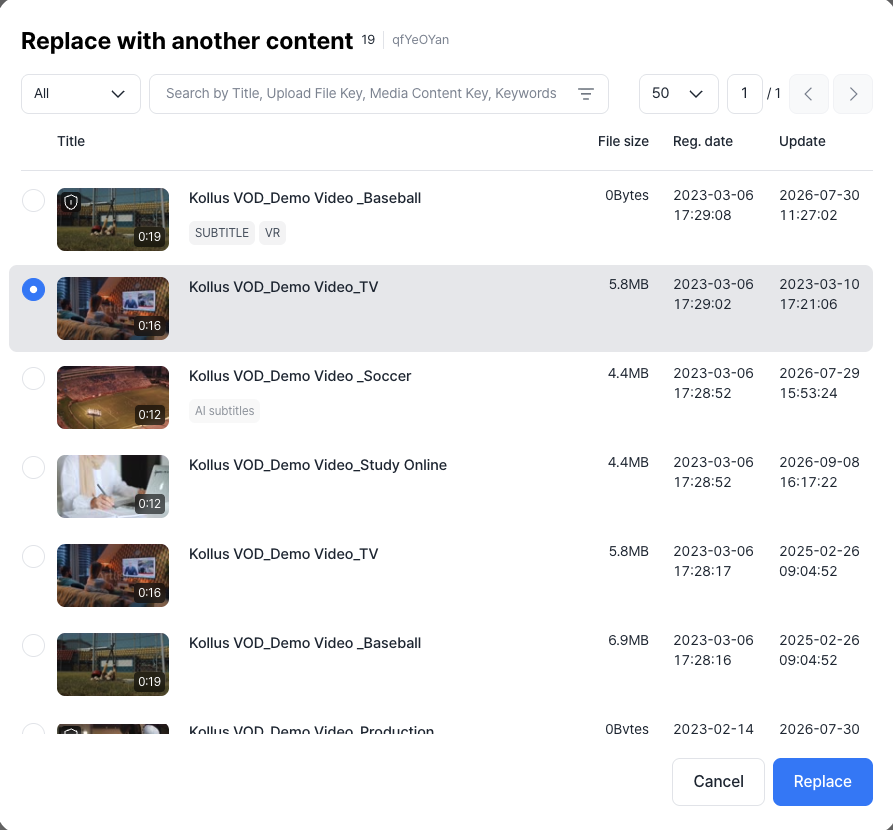
- In the popup window, select the content you uploaded in Step 1 (click the radio button on the left).
- Click [Replace] to replace the file.